

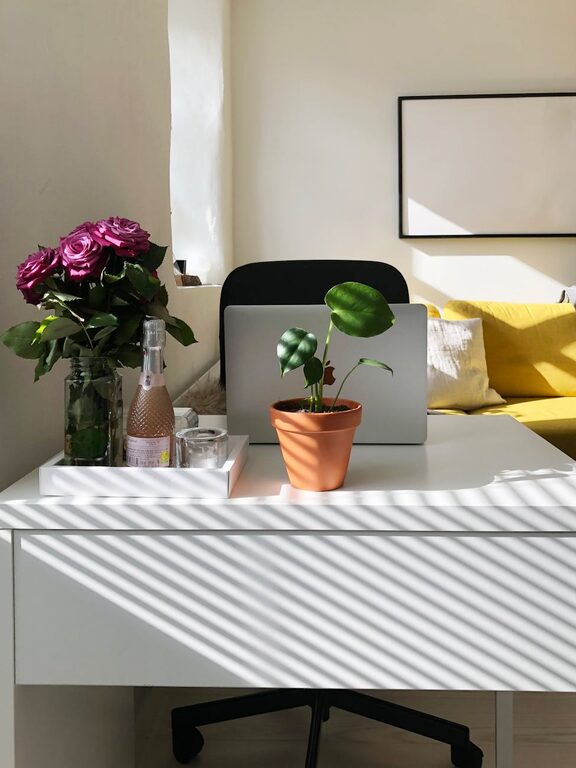
Creating a comfortable and productive home office space is essential for anyone working remotely or spending long hours at home. A well-designed workspace can improve focus, reduce stress, and even enhance creativity. Whether you have a dedicated room or a small corner in your living area, there are many ways to make your home office both inviting and efficient.
In this post, we’ll explore practical tips and ideas to help you set up an ideal work environment that suits your needs.
Choose the Right Location
Consider Natural Light
Natural light positively affects mood and energy levels. Whenever possible, set up your office near a window to benefit from daylight. If natural light is limited, invest in good quality lighting that mimics daylight to keep your space bright and comfortable.
Minimize Distractions
Select a quiet spot away from busy areas of your home. This helps reduce noise and interruptions, allowing for better concentration. If a separate room isn’t available, consider noise-cancelling headphones or soundproofing options.
Invest in Ergonomic Furniture
Comfortable Chair
A supportive office chair is crucial to avoid back pain and promote good posture. Look for chairs with adjustable height, lumbar support, and comfortable padding.
Suitable Desk
Choose a desk that fits your space and work style. It should have enough surface area for your computer, paperwork, and any tools you need without feeling cramped. Standing desks or adjustable desks offer versatility and help vary your posture throughout the day.
Organize Your Workspace Efficiently
Declutter Regularly
A tidy desk can help clear your mind. Keep only essential items within reach, and store the rest in drawers or shelves.
Use Storage Solutions
Utilize organizers, file holders, and shelves to keep papers, supplies, and gadgets neatly arranged. Labeling storage containers can save time when searching for items.
Optimize Your Technology Setup
Reliable Internet Connection
A strong and stable internet connection is key for smooth video calls, downloads, and uploads. Consider upgrading your router or using a wired connection.
Proper Equipment
Ensure your computer, monitor, keyboard, and mouse are suitable for your workload. Dual monitors or larger screens can improve productivity for some tasks.
Cable Management
Manage cables with clips or covers to prevent tangles and keep your workspace neat.
Personalize Your Space
Adding elements that make you feel comfortable can improve your mood and motivation.
Plants and Greenery
Houseplants can reduce stress and increase productivity. Choose low-maintenance plants if you don’t have much time for care.
Artwork and Decor
Personal photos, inspirational quotes, or art pieces can make your workspace more inviting.
Comfortable Temperature and Air Quality
Use fans, heaters, or air purifiers as needed to maintain a comfortable environment. Fresh air circulation also helps keep you alert.
Develop a Routine and Boundaries
Set Work Hours
Define your start and finish times to create structure and maintain work-life balance.
Take Breaks
Incorporate short breaks to rest your eyes, stretch, and recharge. Use timers or apps to remind yourself.
Limit Non-Work Activities
Avoid letting household chores or entertainment interfere with work periods by creating boundaries.
Incorporate Wellness Practices
Movement
Include simple stretches or exercises in your day to reduce stiffness and improve circulation.
Hydration and Nutrition
Keep water nearby and have healthy snacks accessible.
—
Creating a comfortable and productive home office is a combination of thoughtful design, organization, and self-care habits. By applying these tips, you can build a workspace that supports your professional goals and well-being. Remember, your home office should be a place where you feel motivated and at ease—customize it in ways that best suit your lifestyle and preferences.