

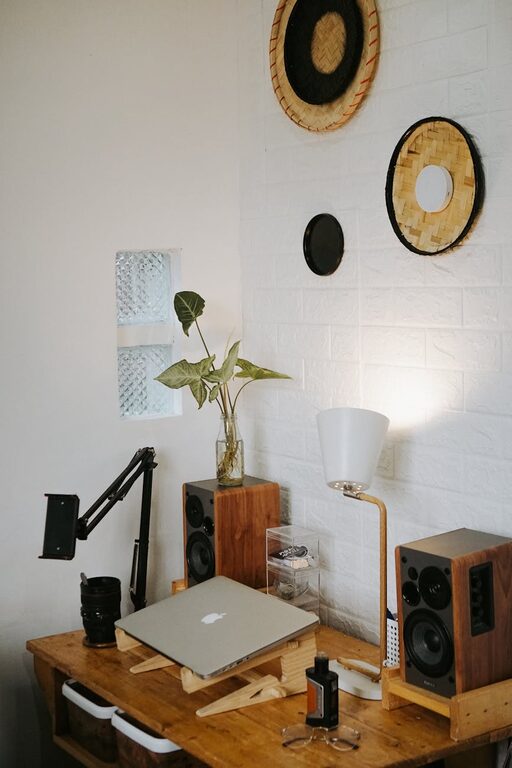
Creating a home office that feels cozy yet boosts your productivity can transform the way you work. Whether you’re new to working from home or looking to improve your current setup, striking the right balance between comfort and efficiency is key. This guide offers practical tips to help you design a space that supports your daily tasks while making you feel relaxed and focused.
1. Choose the Right Spot
Consider Natural Light
Natural light not only brightens your workspace but can improve mood and alertness. Try to position your desk near a window, but be mindful of glare on your computer screen. If natural light is limited, invest in quality artificial lighting that mimics daylight.
Minimize Distractions
Select a location away from high-traffic areas or noisy spots. If space is limited, use room dividers or noise-cancelling headphones to create a sense of separation.
2. Invest in Comfortable Furniture
Ergonomic Chair
A chair that supports proper posture is essential to avoid fatigue and back pain. Look for adjustable chairs with lumbar support and comfortable cushioning.
Functional Desk
Your desk should have enough surface area for your computer, notebooks, and other essentials. Consider standing desks or adjustable options to alternate between sitting and standing.
3. Personalize Your Space
Add Warmth with Textiles
Use rugs, cushions, or blankets in your workspace to add texture and warmth. These small touches can make the environment feel more inviting and less sterile.
Include Personal Items
Display a few personal items such as photos, plants, or artwork that inspire you. This can increase your sense of well-being and keep you motivated throughout the workday.
4. Organize Efficiently
Declutter Regularly
Keep only necessary items on your desk to maintain a clean and focused area. Store supplies and documents in drawers or organizers to reduce distractions.
Use Storage Solutions
Shelves, file cabinets, and baskets help keep paperwork and office tools organized and accessible. Label containers to find items quickly.
5. Optimize Technology Setup
Position Your Screen Properly
Place your computer monitor at eye level and about an arm’s length away to reduce neck strain and improve posture.
Manage Cables
Use cable clips or sleeves to keep wires tidy. A clutter-free workspace can minimize stress and distractions.
6. Create a Routine and Boundaries
Set Work Hours
Define your working hours to maintain a healthy work-life balance, helping you stay productive and avoid burnout.
Take Breaks
Incorporate regular breaks to stretch and rest your eyes. Short pauses can improve concentration and overall well-being.
7. Enhance Air Quality and Scents
Air Circulation
Ensure your workspace gets fresh air by opening windows or using air purifiers. Good air quality supports comfort and alertness.
Use Pleasant Scents
A subtle diffuser with essential oils like lavender or citrus can create a calm and energizing atmosphere.
8. Incorporate Greenery
Plants in your workspace not only brighten the room but can reduce stress and boost creativity. Choose low-maintenance varieties if you’re new to plant care.
—
Creating a cozy and productive home office is about more than just buying the right furniture. It involves thoughtful consideration of light, comfort, organization, and personal touches that make your workspace inviting and efficient. By implementing these tips, you can enjoy a home office environment that supports your best work every day.